
Asynchronous Video Interviewing: A Practical Guide for 2026
You're looking at a new way to screen candidates, and the pressure is familiar. The inbox is full, the hiring manager wants names, and someone on the team keeps asking why the shortlist is still not ready. Asynchronous video interviewing promises speed, but the central question is sharper, does it reduce hiring friction, or just move it from recruiters to candidates?
What Asynchronous Video Interviewing Is
A recruiter opens a hiring queue on Friday night and finds 40 recorded answers waiting in a review folder. No one had to book a shared calendar slot, and no interviewer had to sit live with each applicant. That is asynchronous video interviewing, a one-way prompt-response format where candidates record answers on their own time and hiring teams review them later.
A concrete example helps. A campus hiring team might send the same three interview prompts through an ATS-connected video tool, ask each candidate to record from a browser or phone, then let a hiring manager score the responses inside a shared rubric the next morning. The value comes from the handoff: the candidate speaks once, the recruiter reviews many responses later, and the team can compare answers in the same order instead of juggling separate calls.
The key detail is that this is a recorded interview workflow, not a meeting. A platform sends standardized video prompts to a candidate's device, receives a streamed or uploaded response, and stores it for later review, which means the interviewer and candidate do not have to be present together at the same moment. That client-server structure preserves the interview format while removing simultaneity, and it is also the part that makes transcription, summaries, and scoring easier to plug into the workflow. You can see that architecture described in the underlying patent for the workflow itself. Patent description of the client-server AVI workflow
What usually gets replaced is the first screening call. Instead of spending recruiter time on a live intro for every applicant, the company asks the same core questions upfront and reviews the answers later. The candidate spends the time, the recruiter gets the calendar back.
Practical rule: if the employer's first goal is comparison, not conversation, AVI fits the job.
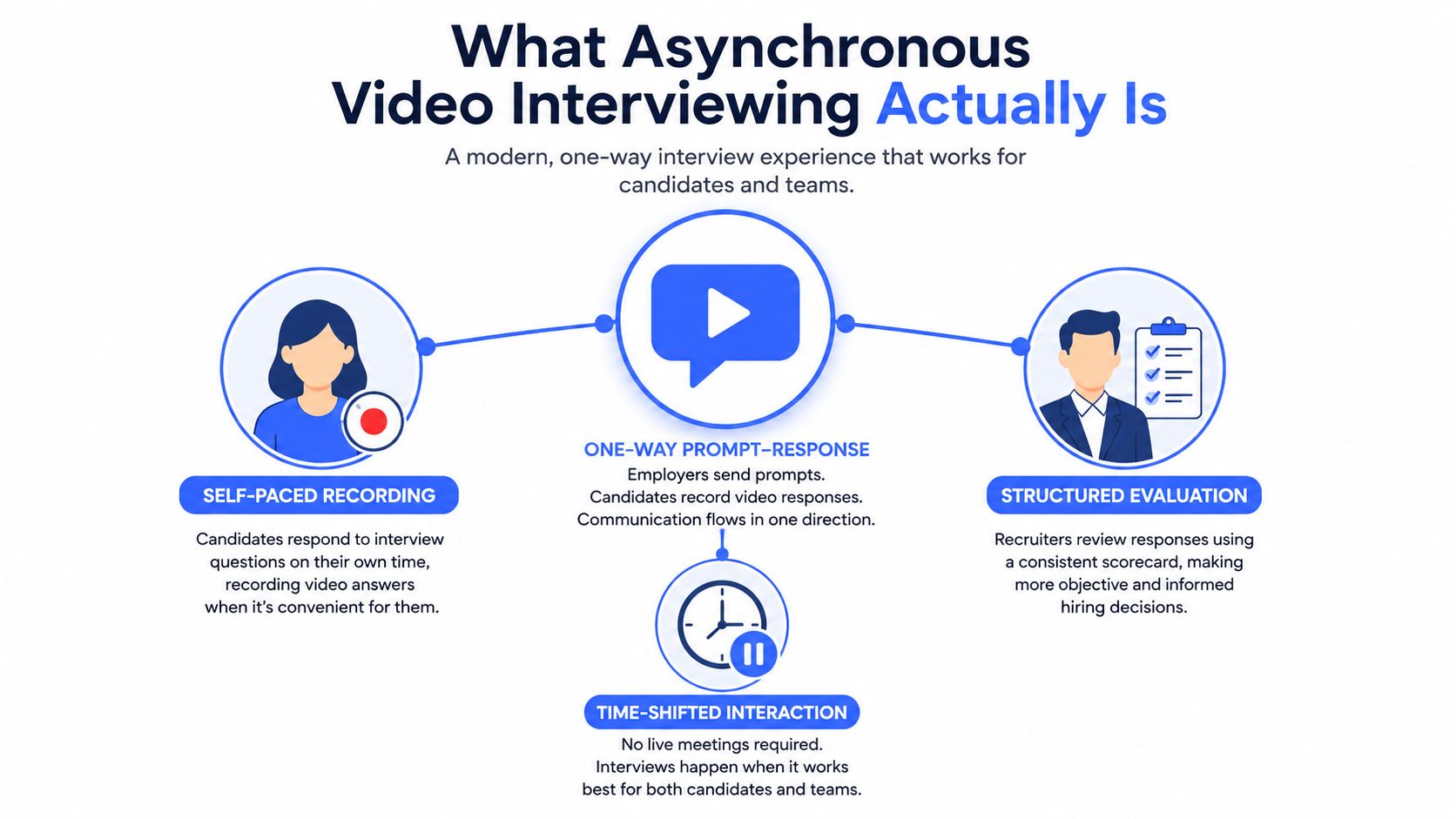
Seen this way, the format changes more than convenience. It shifts who carries the scheduling burden, how early you can see communication style, and how quickly a recruiter can decide whether a candidate deserves a live conversation. It also creates a tradeoff that gets missed in many AVI explainers, because the question is whether the format shortens time-to-shortlist or just moves the friction onto applicants who now have to perform without a live back-and-forth.
How the Format Works, Step by Step
A TA leader usually understands AVI fastest by following one candidate from invite to review. The system repeats the same core actions each time, even when the vendor interface looks different.
- Invitation. The recruiter sends the candidate a link or notification with the interview request.
- Prompt delivery. The platform presents each question in a fixed sequence, so every applicant sees the same prompt order.
- On-device recording. The candidate records answers in a browser or on a mobile device, usually without a live interviewer on the call.
- Secure upload. The recording is saved for later playback, rather than being judged in real time.
- Scoring. A recruiter or hiring manager applies a rubric, sometimes with transcription or summary tools beside the video.
- Review. The team watches the recording, compares candidates, and decides who moves forward.
The mechanics usually sit on top of a recruiting stack built around a recording SDK, secure storage and playback APIs, session tokens, and event webhooks for completion and status updates. Those pieces matter because they let the product sync with ATS and CRM systems without asking the company to build a live communications layer from scratch. Technical stack overview for async and live video recruiting APIs
A useful way to judge the workflow is to ask where the effort lands. The platform is meant to make answers comparable, auditable, and easy to hand off across recruiting roles. A recruiter can screen first, a hiring manager can review later, and the system keeps the evidence behind the decision.
A good AVI workflow feels boring in the best way. The candidate records, the platform stores, the reviewer scores, and the ATS keeps the history.
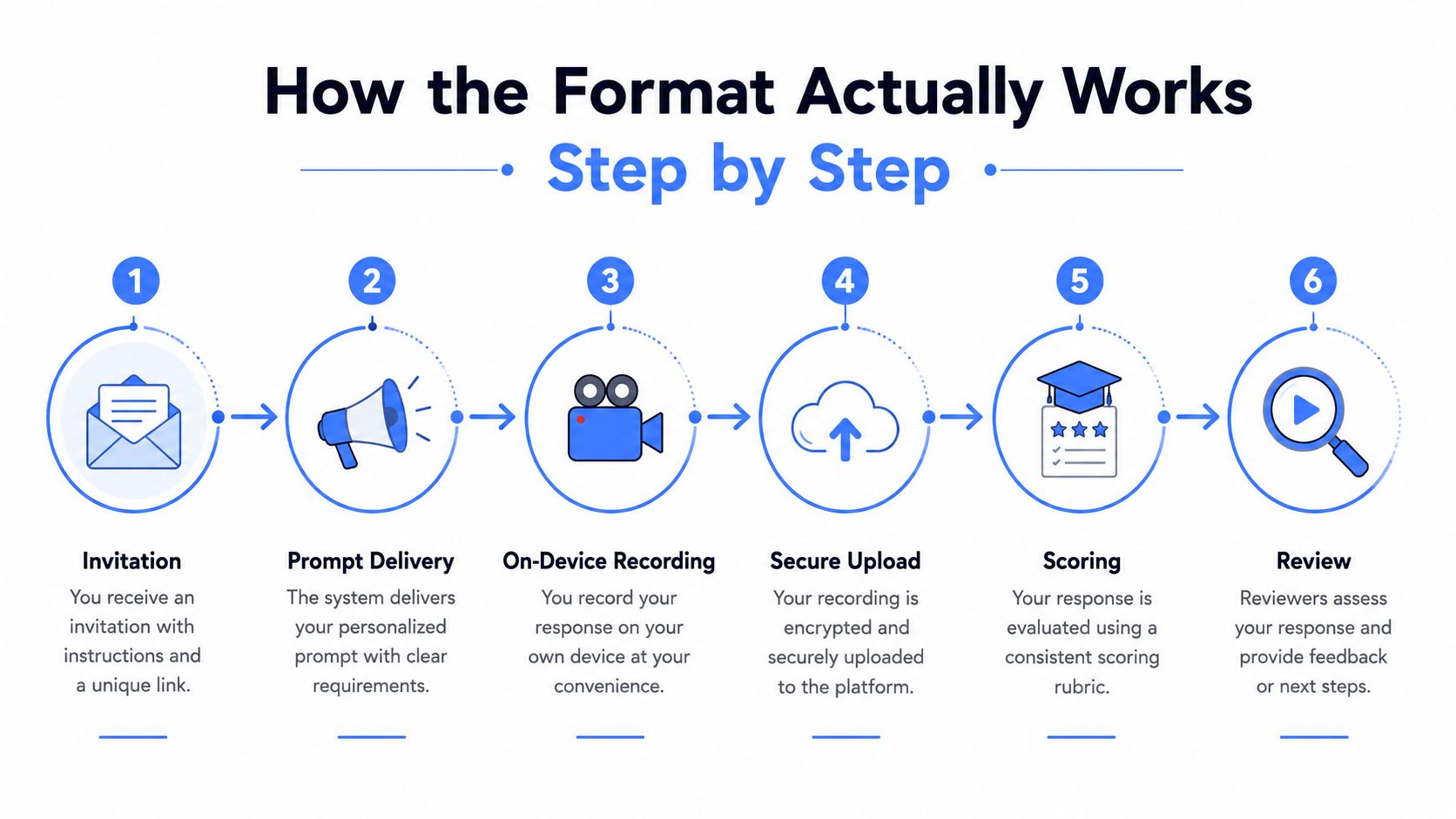
The part that gets missed most often is the candidate-completion tradeoff. A fixed prompt set can improve comparison, but it also asks applicants to do more work without the energy of a live conversation, so the question is not only whether the funnel is faster, but whether enough people finish to make the shortlist meaningful. Calibration matters here. A weak prompt set turns AVI into extra friction, while a well-judged one gives recruiters usable evidence without forcing candidates to guess what the interviewer meant.
One concrete example is a hiring team screening for a customer support role. If the prompts ask for a work sample, a conflict example, and a brief explanation of schedule flexibility, the team can compare answers against the same rubric instead of relying on a recruiter's memory of a phone call. The recording then becomes the common reference point, which is why the format can work across roles, locations, and scheduling constraints without bringing everyone into the same live room.
What Changes for Recruiters, Candidates, and Hiring Managers
AVI redistributes effort, and that redistribution is the story. Recruiters get a cleaner screening workflow, candidates get flexibility with a new kind of pressure, and hiring managers get fewer people to compare but more responsibility for judging the recordings well.
On the candidate side, the data show that completion is high when the process is designed carefully. A 2025 to 2026 Screeq field dataset covering 40,127 invited asynchronous interviews found a 78.2% completion rate, a median completion time of 19 hours, and a 62% mobile submission share. Only 3.1% of candidates explicitly declined the async format and asked for an alternative. Screeq field dataset on async video interview completion rates
That sounds encouraging, but the tradeoff is still real. A CESifo working paper using experimental application data found that asynchronous interviews reduced application continuation by about 53%, roughly 45 percentage points, relative to no screening, while a more traditional synchronous online interview reduced continuation by about 20%, or 17 percentage points. The same study also reported that around half of applicants did not complete an asynchronous interview invitation. CESifo working paper on applicant continuation and async interviews
Who gains, who pays, and what changes in practice
For recruiters, AVI cuts the repeated live-call work that burns time at the top of the funnel. Instead of screening everyone in real time, they review a shared set of responses and move only the strongest candidates forward. For hiring managers, that usually means a shortlist that is smaller and easier to compare because every candidate answered the same prompts in the same format.
For candidates, the upside is obvious. They can respond on their own schedule, often from a phone, which matches the observed mobile-heavy usage pattern in the Screeq data. The downside is less obvious. One-way interviews compress social context, so the candidate has fewer chances to build rapport, ask follow-up questions, or recover from a rough first answer.
Working rule: if your AVI feels like a test with no explanation, candidates will treat it like one.
The operational win is strongest when teams use AVI to create a more uniform shortlist, not just a faster one. That's where the format helps hiring managers most, because they spend less time comparing wildly different phone-screen notes and more time reviewing structured evidence. The cost is that poor prompt design or clumsy review habits can turn that efficiency into candidate drop-off.
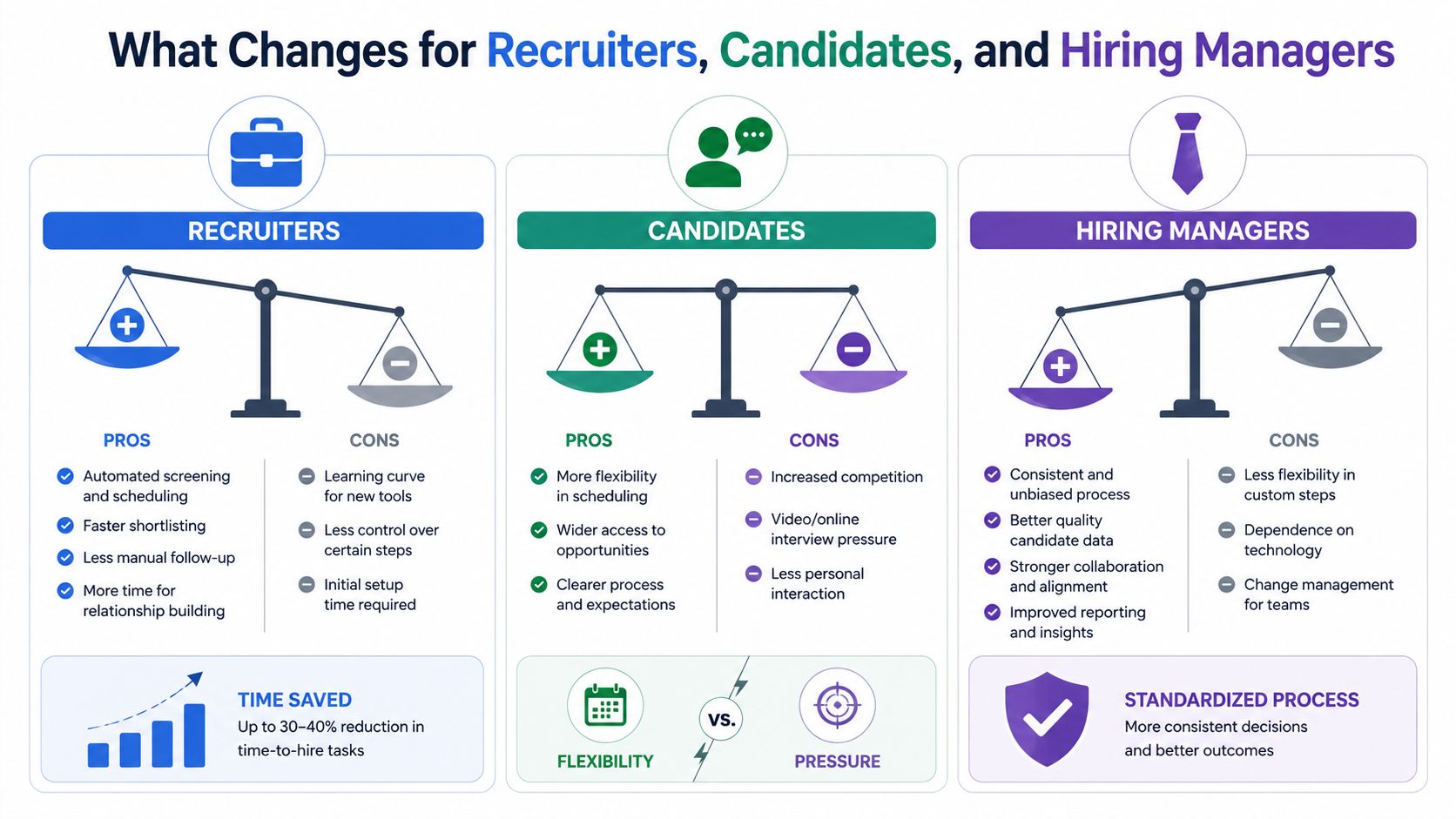
The balance is easy to misunderstand. AVI does not magically improve hiring. It only helps when the team uses the structure to compare candidates fairly and keeps the process light enough that good applicants finish it.
When AVI Beats a Phone Screen or Live Interview
AVI is strongest when the employer needs structure before conversation. A phone screen is still useful when a recruiter wants a quick human exchange, and a live interview is still the right tool when the hiring team needs real-time dialogue, probing follow-ups, or relationship building. AVI earns its place when the question is, “Who should we talk to next?”
The Australian field study matters here because it shows what AVI looks like in practice, not in theory. AVIs were often used for small applicant pools, with a median of 10 candidates per AVI. The same study found that most AVIs used four to five questions, with candidates usually given 30 seconds to prepare and 2 minutes to record. Australian AVI field study on interview mechanics
That tells you something important about the format. It is designed for a tight, standardized exchange, not an open-ended conversation.
| Criterion | Async video | Phone screen | Live interview |
|---|---|---|---|
| Scheduling | Candidate records later, no overlap needed | Requires a shared slot | Requires a shared slot |
| Consistency | Same prompts for everyone | Recruiter may vary questions | Interviewer can adapt in real time |
| Best use | Top-of-funnel screening | Quick human check | Deeper evaluation and rapport |
| Candidate experience | Flexible, but can feel impersonal | Familiar and conversational | Most natural for dialogue |
| Reviewer workload | Front-loaded into playback and scoring | Spread across live calls | Highest live-time commitment |
For small applicant pools, a phone screen may be perfectly adequate. For roles where the conversation itself is the assessment, live interviews still win. AVI tends to be the better default when a team needs repeatable screening, has limited live bandwidth, or wants to compare many responses against the same rubric.
When the role needs nuance, AVI can still sit in the funnel, but it should not replace the conversation entirely. It should earn the right to hand someone off to live interviewers.
Prompt Calibration and the Role of Employer DNA
Most AVI problems start with the prompt set, not the platform. If the questions are generic, too long, or disconnected from the job, candidates answer cautiously and reviewers get little signal back.
A useful prompt set has four parts. The question count should stay short enough to feel doable. The prep window should give people a moment to think. The response window should fit the complexity of the question. And the content itself should match both the role and the company's style, not just the job title.
A concrete example helps here. Dassh AI says its prompts are built so that they cover the candidate's information and the DNA of the employer, which is intended to keep the interview personalised and aligned with client company values. That's the right idea because prompt calibration is really about fitting the question to the context, not just to the platform. Dassh AI prompt personalization approach
A simple calibration checklist
- Keep the prompt count tight. Long AVI sequences create fatigue, and fatigue lowers the quality of the answers.
- Match the time window to the task. Straight factual checks need less response time than scenario questions.
- Write for the role's actual work. A sales role needs different evidence than an operations role.
- Add employer context. Candidates answer differently when they understand the company's priorities and tone.
- Test for misfit early. If reviewers keep saying the answers are vague, the prompts are probably too broad.
A practical signal of miscalibration is when every response sounds polished but uninformative. Another is when candidates answer off-topic because the question leaves too much room for interpretation. If that happens, the prompt is probably asking for a speech when it should be asking for an example.
You can also review how a shared scoring layer should work with the prompts in this AI interviewer grading whitepaper. The bigger point is simple. Good prompts do not just collect answers. They shape the quality of the shortlist that follows.
Legal, Fairness, and Accessibility Considerations
AVI creates speed, but it also creates responsibilities that are easy to ignore if the team is excited about automation. Candidates are being recorded, their data is being stored, and some applicants will not be equally comfortable with a one-way video format. That means the setup has to clear legal, fairness, and accessibility checks before the first invite goes out.
The literature is clear that the evidence base is still unresolved on whether AVI improves hiring quality or mainly shifts screening friction to candidates. The open question is exactly why teams should treat consent, fairness, and accessibility as gating decisions, not compliance footnotes. A recent review frames this as an open research agenda rather than a settled best practice. Review of AVI research gaps and candidate-experience tradeoffs
The minimum safeguards to put in place
- Explicit consent. Candidates should know they are being recorded and reviewed asynchronously.
- Recording notice. The invitation should say what is captured and who can access it.
- Data retention policy. Decide how long recordings, transcripts, and scorecards stay in the system.
- Bias review. Standardized prompts help, but they do not eliminate judgment risk.
- Accessibility options. Some candidates will need captions or a different format to complete the process.
Those steps matter because drop-off is not just an operational metric, it can also be a fairness signal. If a process systematically loses capable candidates who dislike video, lack confidence on camera, or cannot complete the format comfortably, the shortlist may become narrower than the role deserves. That risk should be reviewed before AVI is rolled out broadly.
The safest policy is simple. If you would not defend the recording, retention, and review process in front of a candidate, the workflow is not ready.
A strong compliance posture also gives recruiters something more practical than legal comfort. It makes the invite easier to explain, which improves trust. For teams looking for a structured approach to bias review, this elimination-of-bias resource is a useful reference point.
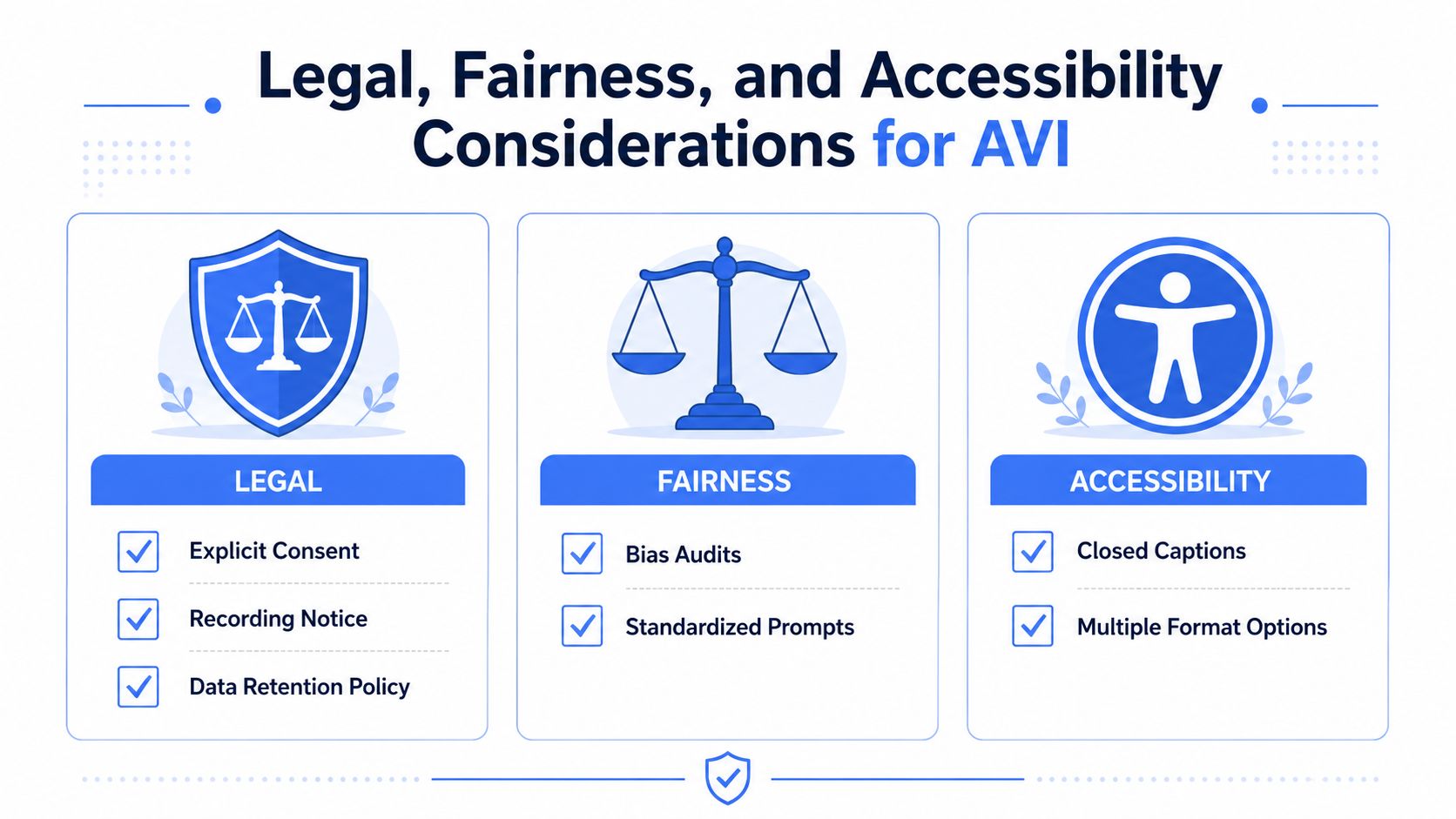
The best safeguard is not a policy document sitting in a folder. It is a process that candidates can understand, complete, and trust without extra back-and-forth.
How Dassh AI's AI Interview Module Fits the Pipeline
An asynchronous video interview works best when it is part of a larger hiring flow, not a standalone screen. A recruiter sends the invite with enough context already attached, the candidate completes the interview, and the next reviewer receives a package that is easier to read than a raw recording alone. The value comes from what the system knows before the invite goes out, and from what it passes forward after the review.
Dassh AI's AI Interview module is built for that kind of workflow. Its prompts draw from shared candidate context and employer context, then send transcripts and scorecards into downstream ATS review, so the hiring manager does not have to reconstruct the story from scratch. A disconnected interview tool often adds duplicate work. A connected one keeps the shortlist moving because the same information follows the candidate through each stage.
The module is described on the Dassh AI AI Interview product page, and the reported outcome is straightforward, hiring managers who previously had to interview 10 candidates to find their best fit now shortlist from around 5, with no loss in quality. That result should be read as a vendor claim, not as universal proof, but it points to the core tradeoff in AVI. Better calibration and better handoff can shorten time-to-shortlist. Weak calibration can move the friction from recruiters to applicants.
The useful part of AVI is not the recording. It is the handoff into the next decision.
Shared pipeline context is what makes that handoff usable. If sourcing, screening, and interviewing live in separate systems, the recruiter spends time copying facts back and forth. If they share a common data model, the review gets cleaner and the manager sees a more coherent picture of each applicant. It works a bit like a relay race. The baton matters more than the individual sprint, because the next runner needs a clean transfer.
For teams comparing tools, Dassh AI is one option among others because it packages AI Interview inside a broader recruiting suite, but the same design principle applies no matter the vendor. The interview should reduce ambiguity for the next reviewer, not add another silo to manage.
A Decision Checklist and the Question the Field Hasn't Answered
Before you launch AVI, check five things. Prompt design should fit the role. Completion monitoring should catch drop-off early. Fairness review should happen before scale, not after complaints. ATS wiring should preserve the evidence. Hiring-manager training should make sure reviewers know how to score what they see.
If any one of those pieces is missing, the process can still run, but it may not improve the shortlist. That is the difference between deploying a tool and building a workflow.
The field still has not fully answered the question that matters most, whether AVI improves hiring quality or mostly shifts screening friction to candidates. That uncertainty is exactly why the format needs measurement, not enthusiasm alone.
If you're evaluating asynchronous video interviewing for your own hiring funnel, Dassh AI can show how AI Interview fits into a broader recruiting workflow with sourcing, screening, and downstream review. Visit Dassh AI to see how the module, scoring, and ATS handoff work together in practice.
Refined using Outrank
Ready to put these ideas into practice?
See the Dassh.ai suite in action with a personalized demo.